
developer-kit-java
NewComprehensive Java development toolkit with Spring Boot, testing, and AWS integration
Overview
<div align="center">
    
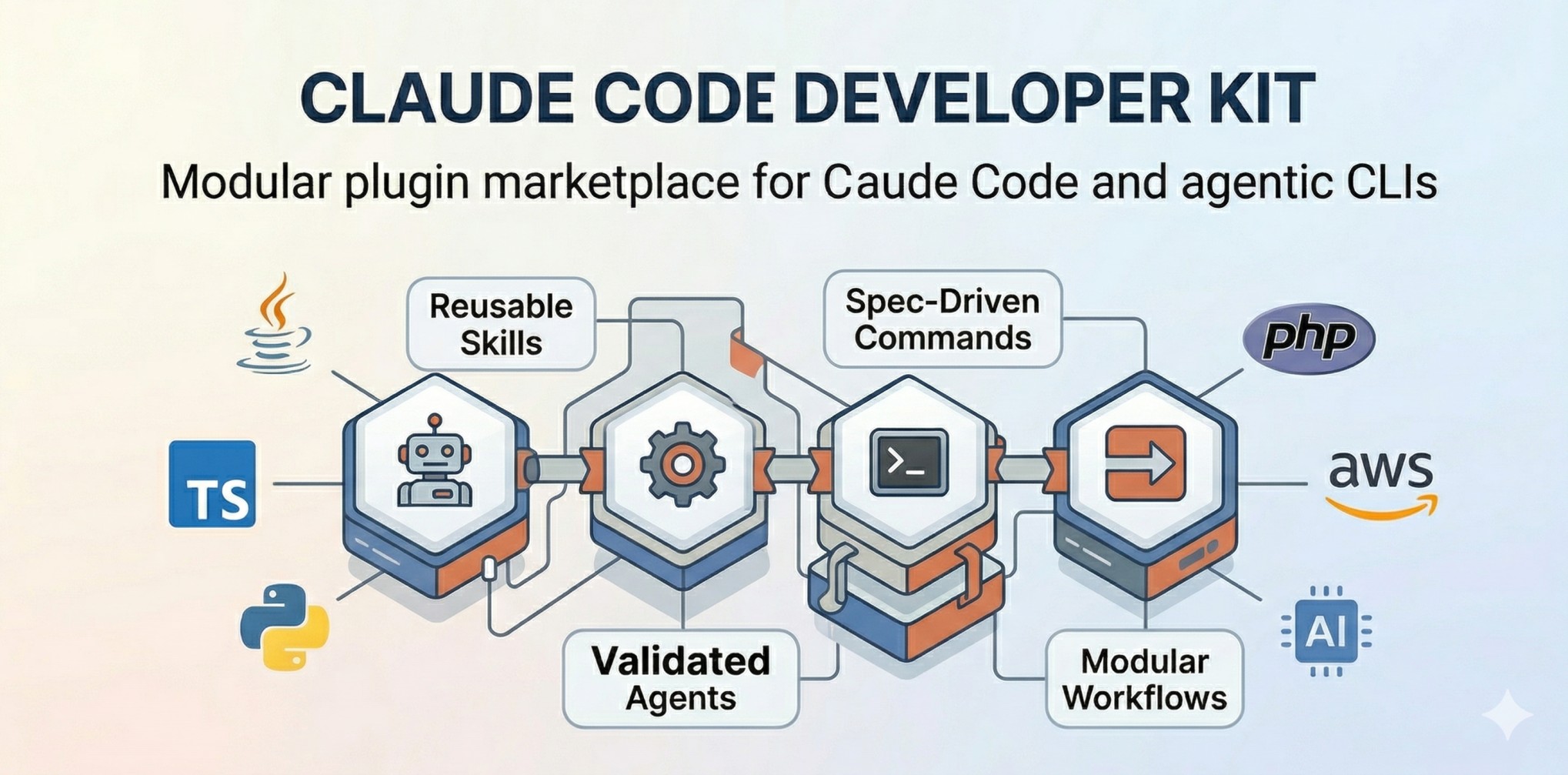
A modular AI plugin system that supercharges your development workflow across languages and frameworks.
Installation • Quick Start • Plugins • Documentation • Changelog
</div>
Why Developer Kit?
Developer Kit is a modular plugin marketplace for Claude Code that teaches Claude how to perform development tasks in a repeatable, high-quality way. Instead of generic AI responses, you get domain-specific expertise for your exact tech stack.
- •🧩 Modular by Design — Install only what you need. Java developer? Grab
developer-kit-java. Full-stack TypeScript? Adddeveloper-kit-typescript. - •🎯 Domain Experts — 45+ specialized agents for code review, refactoring, security audits, architecture design, and testing across 7+ languages.
- •📚 150+ Skills — Reusable capabilities from Spring Boot CRUD generation to CloudFormation templates, all with best practices built-in.
- •🔄 Multi-CLI Support — Works with Claude Code, GitHub Copilot CLI, OpenCode CLI, and Codex CLI.
- •⚡ Auto-Activation — Path-scoped rules automatically activate when you open relevant files. No configuration needed.
Installation
Quick Install (Recommended)
# Install from marketplace
/plugin marketplace add giuseppe-trisciuoglio/developer-kit

# Or install from local directory
/plugin install /path/to/developer-kit
Enable Skills in Settings → Add giuseppe-trisciuoglio/developer-kit
# Clone the repository
git clone https://github.com/giuseppe-trisciuoglio/developer-kit.git

# Install via Makefile (auto-detects your CLI)
cd developer-kit
make install

# Or install for specific CLI
make install-claude      # Claude Code
make install-opencode    # OpenCode CLI
make install-copilot     # GitHub Copilot CLI
make install-codex       # Codex CLI
Quick Start
# After installation, start your CLI
claude

# Check available commands
/help

# Use a Developer Kit command
/devkit.refactor

# Or invoke a specs workflow
/specs:brainstorm
Example Prompts
Generate a complete CRUD module for User entity with NestJS and Drizzle ORM
Review this Java Spring Boot service for security issues
Create a CloudFormation template for ECS with auto-scaling
Help me refactor this monolithic class into clean architecture
Generate unit tests for this TypeScript service with 100% coverage
Usage
Developer Kit provides four layers of capabilities:
1. Skills
Reusable capabilities loaded on-demand. Example:
[Skill: spring-boot-crud-patterns activated]Skills automatically provide patterns, templates, and best practices for specific tasks.
2. Agents
Specialized sub-agents for complex workflows:
# Invoke via natural language
"Review this code as a Spring Boot expert"

# Or use commands
/devkit.java.code-review
/devkit.typescript.code-review
3. Specifications-Driven Development (SDD)
Transform ideas into production-ready code through a structured workflow:
| Command | When to Use | Output |
|---|---|---|
/developer-kit-specs:constitution create | New project, before first spec | docs/specs/constitution.md |
/developer-kit-specs:constitution check | Validate spec/task against principles | Constitution Check Report |
The constitution defines the architectural DNA: approved stack, AI guardrails, security constraints (CWE mappings), and non-negotiable rules that govern all subsequent code generation.
| Command | When to Use | Output |
|---|---|---|
/specs:brainstorm | New features, complex requirements | Full specification with 9 phases |
/specs:change-spec | Delta/iteration changes, bug fixes | Change specification |
/specs:technical-plan | After brainstorm, document HOW | Technical plan |
/specs:spec-check | Resolve markers, scan quality | Quality-improved specification |
The specification lives in docs/specs/[id]/YYYY-MM-DD--feature-name.md
| Command | Description |
|---|---|
/specs:spec-to-tasks | Convert specification into executable task files |
/specs:task-manage | Add, split, update, or reorganize tasks |
Tasks are generated in docs/specs/[id]/tasks/ with individual task files.
| Command | Description |
|---|---|
/specs:task-implementation | Guided implementation of a specific task |
/specs:task-tdd | Test-Driven Development approach for the task |
Each task implementation updates the Knowledge Graph for context preservation.
| Command | Description |
|---|---|
/specs:task-review | Verify task meets specifications and code quality standards |
/specs:code-cleanup | Professional cleanup: remove debug logs, optimize imports |
/specs:spec-sync | Synchronize spec with actual implementation |
| Command | Description |
|---|---|
/specs:change-spec | Document delta/iterations and bug fixes with unchanged behavior analysis |
/specs:technical-plan | Document HOW the feature will be built (stack, decisions, phases) |
/specs:spec-quality-check | Interactive quality assessment of specifications |
/specs:spec-sync-context | Sync Knowledge Graph, Tasks, and Codebase state |
/specs:ralph-loop | Automated loop for spec-driven development |
/devkit.refactor | Refactor existing code with architectural analysis |
/devkit.github.create-pr | Create PR with comprehensive description |
4. Rules
Path-scoped rules auto-activate based on file patterns:
# Auto-activates for *.java files
globs: ["**/*.java"]
---
Always use constructor injection. Never use field injection with @Autowired.
📋 Note on Rules Installation
Plugins do not automatically install rules into your project. To use the rules, you can copy them manually
or use the Makefile command:
```bash
# Copy rules from a specific plugin
make copy-rules PLUGIN=developer-kit-java
# Or manually copy .md files from the plugin's rules/ folder
mkdir -p .claude/rules
cp plugins/developer-kit-[language]/rules/*.md .claude/rules/
```
The rules will be automatically activated based on the
globs:patterns defined in the header of each file.
Available Plugins
| Plugin | Language/Domain | Components | Description |
|---|---|---|---|
developer-kit-core | Core | 6 Agents, 8 Commands, 4 Skills | Required base plugin with general-purpose capabilities |
developer-kit-specs | Workflow | 9 Commands, 5 Skills | Specifications-driven development (SDD) workflow |
developer-kit-java | Java | 9 Agents, 11 Commands, 51 Skills, 4 Rules | Spring Boot, LangChain4J, AWS SDK, GraalVM |
developer-kit-typescript | TypeScript | 13 Agents, 3 Commands, 25 Skills, 17 Rules | NestJS, React, Next.js, Drizzle ORM, Monorepo |
developer-kit-python | Python | 4 Agents, 4 Rules | Django, Flask, FastAPI, AWS Lambda |
developer-kit-php | PHP | 5 Agents, 3 Skills, 4 Rules | WordPress, Sage, AWS Lambda |
developer-kit-aws | AWS | 3 Agents, 19 Skills | CloudFormation, SAM, CLI, Architecture |
developer-kit-ai | AI/ML | 1 Agent, 3 Skills, 1 Command | Prompt Engineering, RAG, Chunking |
developer-kit-devops | DevOps | 2 Agents | Docker, GitHub Actions |
developer-kit-tools | Tools | 4 Skills | NotebookLM, Copilot CLI, Gemini, Codex |
github-spec-kit | GitHub | 3 Commands | GitHub spec integration |
Plugin Architecture
developer-kit/
├── plugins/
│   ├── developer-kit-core/          # Required base
│   │   ├── agents/                  # Agent definitions (.md)
│   │   ├── commands/                # Slash commands (.md)
│   │   ├── skills/                  # Reusable skills (SKILL.md)
│   │   ├── rules/                   # Auto-activated rules
│   │   └── .claude-plugin/
│   │       └── plugin.json          # Plugin manifest
│   ├── developer-kit-java/          # Java ecosystem
│   ├── developer-kit-typescript/    # TypeScript ecosystem
│   └── ...
├── .skills-validator-check/         # Validation system
└── Makefile                         # Installation commands
Each plugin is self-contained with its own manifest, components, and dependencies.
Configuration
Plugin Selection
Install only the plugins you need:
# Core + Java + AWS
make install-claude
# Then enable: developer-kit-core, developer-kit-java, developer-kit-aws

# Full-stack TypeScript
# Enable: developer-kit-core, developer-kit-typescript, developer-kit-aws
Rules Auto-Activation
Rules automatically activate based on file patterns:
---
globs: ["**/*.java"]
---
# This rule activates for all Java files
- Use constructor injection
- Follow naming conventions
LSP Integration
Language plugins include LSP server configurations (.lsp.json):
| Language | Server |
|---|---|
| Java | jdtls |
| TypeScript | typescript-language-server |
| Python | pyright-langserver |
| PHP | intelephense |
Language Support Matrix
| Language | Skills | Agents | Commands | Rules | LSP |
|---|---|---|---|---|---|
| Java/Spring Boot | 51 | 9 | 11 | 4 | ✅ |
| TypeScript/Node.js | 25 | 13 | 3 | 17 | ✅ |
| Python | 2 | 4 | 0 | 4 | ✅ |
| PHP/WordPress | 3 | 5 | 0 | 4 | ✅ |
| AWS/CloudFormation | 19 | 3 | 0 | 0 | ❌ |
| AI/ML | 3 | 1 | 1 | 0 | ❌ |
Validation & Quality
Developer Kit includes a comprehensive validation system:
# Validate all components
python .skills-validator-check/validators/cli.py --all

# Security scan (MCP compliance)
make security-scan

# Pre-commit hooks
.skills-validator-check/install-hooks.sh
Ecosystem
Listed on:
Related Projects:
- •Claude Code — AI-powered terminal from Anthropic
- •OpenCode — Open-source AI coding assistant
- •GitHub Copilot CLI — AI pair programming
- •Codex CLI — OpenAI's coding agent
Contributing
We welcome contributions! See CONTRIBUTING.md for:
- •Adding new skills, agents, and commands
- •Plugin development guidelines
- •Validation requirements
- •Branch strategy and versioning
Security
Skills can execute code. Review all custom skills before deploying:
- •✅ Only install from trusted sources
- •✅ Review SKILL.md before enabling
- •✅ Test in non-production environments first
- •✅ Run
make security-scanbefore releases
Security scans run automatically via GitHub Actions on every PR.
License
MIT License — Open source and free to use.
Acknowledgments
- •Claude Code by Anthropic — The foundation this plugin system extends
- •Qwen Code — README design inspiration
- •Contributors — Thank you to everyone who has contributed skills and plugins
<div align="center">
Made with ❤️ for Developers using Claude Code
Also compatible with OpenCode, GitHub Copilot CLI, and Codex
</div>
Install & Usage
mkdir -p .claude/skillsmkdir -p .claude/skills && curl -o .claude/skills/developer-kit-java.md https://raw.githubusercontent.com/giuseppe-trisciuoglio/developer-kit/main/SKILL.md/developer-kit-javaFrequently Asked Questions
What is developer-kit-java?
Comprehensive Java development toolkit with Spring Boot, testing, and AWS integration
How to install developer-kit-java?
To install developer-kit-java, create the .claude/skills directory in your project, then run the curl command to download the skill file. Once installed, invoke it in Claude Code with /developer-kit-java.
What is developer-kit-java best for?
developer-kit-java is a community categorized under General. It is designed for: testing. Created by Giuseppe Trisciuoglio.